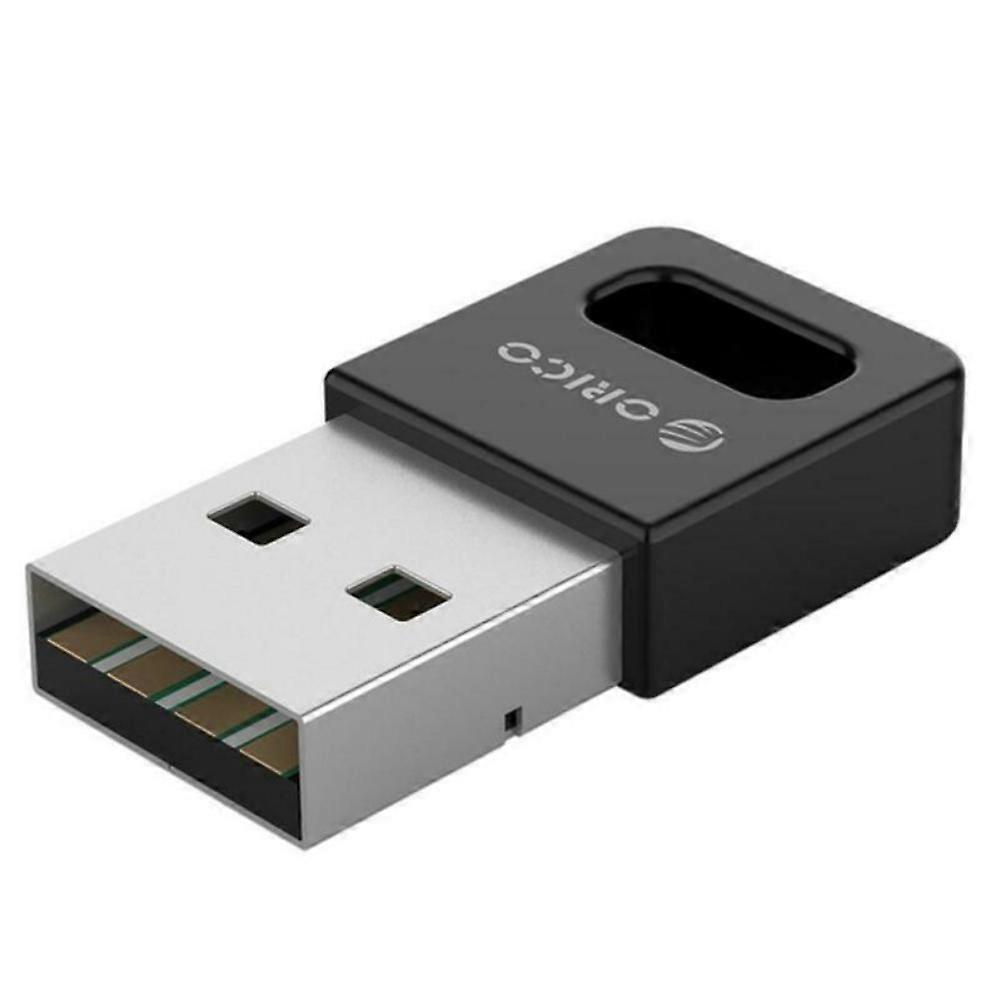
Wireless Bluetooth Adapter USB PC External Receiver for Bluetooth Speaker, Keyboard, Mouse, Game Controller

17,95 €
la livraison GRATUITE

Wireless Bluetooth Adapter USB PC External Receiver for Bluetooth Speaker, Keyboard, Mouse, Game Controller

  • Marque: Unbranded
Verkocht door:

Wireless Bluetooth Adapter USB PC External Receiver for Bluetooth Speaker, Keyboard, Mouse, Game Controller

  • Marque: Unbranded

17,95 €

Économisez 10,00 € (35%)

Prix de vente recommandé

27,95 €
En stock
la livraison GRATUITE

Politique de retour sur 14 jours

Verkocht door:

17,95 €

Économisez 10,00 € (35%)

Prix de vente recommandé

27,95 €
En stock
la livraison GRATUITE

Politique de retour sur 14 jours

Modes de paiement:

Description

Wireless Bluetooth Adapter USB PC External Receiver for Bluetooth Speaker, Keyboard, Mouse, Game Controller

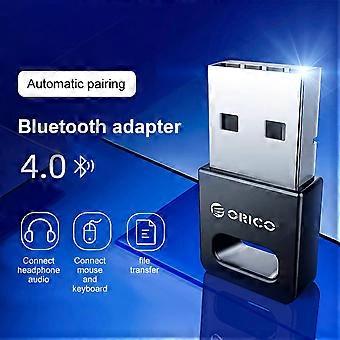
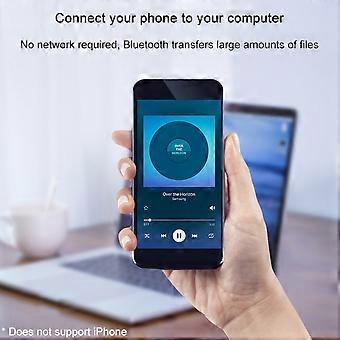
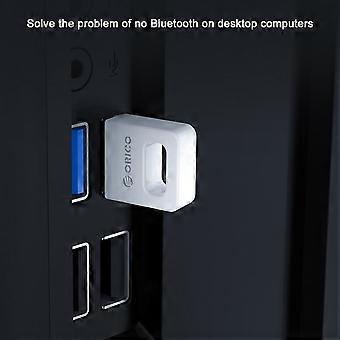
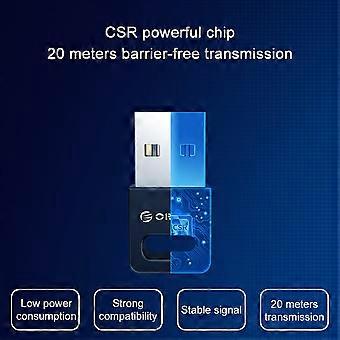
Description: Color: Black Interface: USB TYPE-A interface Product material: ABS material Chip: CSR8510 chip specification: Bluetooth 4.0 specifications Transmission rate: 3Mbps Transmission distance: ≤ 20m (more accessible transmission effect within 10m) User Guide: 1. Insert the Bluetooth adapter into the computer's USB interface, and download the driver on the Orico official website, decompression, run Setup.exe for installation. 2. The installation process will the window prompt selection, open the search mode, SCMS-T is enabled, the type is selected according to the computer type, then click Next until it is completed. If the installation process 360 and other related management programs are prompted to write to the registry, please select Allow. 3. After driving the installation, double-click the computer (my computer) to open my Bluetooth device, select Add Device - All, double-click the searchable Bluetooth headset device, automatically start pairing, if you have prompted "Bluetooth Password", general 0000 (Some passwords depending on the Bluetooth headset will be different, some are 8888, or 1234, etc., can view the manual of the device). 4. For the first time, you need to enter the Orico Bluetooth headset into the pairing mode. General Bluetooth headphones enter the pairing mode: In the shutdown state, press the boot button to do not let go, press the indicator light of the 5 seconds or so, if it is red, the state is released, this is to enter the search mode (some headphones Entering the pairing mode is to hold the volume + and volume on the Bluetooth headset. For details, please refer to the Orico Headphone Manual), the computer can search this Bluetooth headset. 5. After connecting to the headset, it will generally automatically switch to the Bluetooth output. If the system does not automatically switch to Bluetooth audio output, go to the lower right corner sound icon right-play device, and set the Bluetooth headset to default output (under XP system) to start-control panel-sound and audio-audio settings). (The player sound that has been opened under the XP system will not switch to Bluetooth immediately, you need to exit the player, and turn it on to the Bluetooth output.). To implement a call function, set the default input to Bluetooth in recording (recording). Package Included: 1 x Desktop Notebook Bluetooth Receiver With enhanced drive, do not install the drive/tablet can only transfer files, install the full drive computer to connect to the Bluetooth headset listening to songs. Solve a desktop computer without Bluetooth issues, ordinary desktop computer generally does not have Bluetooth functionality. Computer connection wireless mouse and mouse response is sensitive and no delay, the office is freer. Mobile phone connection computer, no network, Bluetooth transfer a lot of files. Bluetooth automatic compatibility, WIN8 / WIN10 system is automatically compatible with Bluetooth 4.1 / 4.2 / 5.0, Win8 and above, etc.
  • Identifiant Fruugo: 436089158-914279837
  • EAN: 9778424774234

Informations sur la sécurité des produits

Veuillez consulter les informations de sécurité du produit spécifiques à ce produit décrites ci-dessous.

Les informations suivantes sont fournies par le détaillant tiers indépendant vendant ce produit.

Avertissements de sécurité: Warning to keep away from water to prevent electric shocks.
Ingrédients: Other

Livraison & retours

Expédition dans un délai de 3 jours

  • STANDARD: GRATUIT - Livraison entre mar. 13 janvier 2026–mer. 21 janvier 2026 - GRATUIT

Expédition de Chine.

Nous mettons tout en œuvre pour que les produits que vous commandez vous soient livrés dans leur intégralité et selon vos indications. Néanmoins, si vous recevez une commande incomplète, des articles différents de ceux commandés ou si, pour toute autre raison, la commande ne vous satisfait pas, vous pouvez retourner la commande ou tout produit inclus dans celle-ci et recevoir un remboursement complet des articles. Voir l'intégralité de la politique de retour

Détails de conformité du produit

Veuillez consulter les informations de conformité spécifiques à ce produit décrites ci-dessous.

Les informations suivantes sont fournies par le détaillant tiers indépendant vendant ce produit.

Fabricant:
Les informations suivantes indiquent les coordonnées du fabricant du produit concerné vendu sur Fruugo.

  • Yang Yue
  • Lixian Penghui Trading Co., Ltd.
  • Group 5,Renhe Village
  • Changde City
  • CN
  • 415500
  • susuruanruan@outlook.com
  • +1(319)277-0024

Personne responsable dans l'UE:
Les informations suivantes indiquent les coordonnées de la personne responsable dans l'UE. La personne responsable est l'opérateur économique désigné basé dans l'UE qui est responsable des obligations de conformité relatives au produit concerné vendu dans l'Union européenne.

  • eVatmaster Consulting GmbH
  • eVatmaster Consulting GmbH
  • Raiffeisen Street2 B1l
  • Rodgau
  • DE
  • 63110
  • contact@evatmaster.com
  • +49 61062699873